Understanding TradingView's Core Features
In the ever-evolving landscape of financial trading, having the right tools at your disposal is crucial. TradingView stands out as a powerful platform that integrates a variety of features designed to streamline the trading process, from analysis to execution. Whether you’re a seasoned trader or just entering the market, understanding the core features of TradingView can enhance your trading strategy and improve your decision-making processes.
What is TradingView?
TradingView is an advanced market charting platform that offers users a unique blend of tools for technical analysis, stock monitoring, and trading executions. Launched in 2011, it has rapidly grown to become one of the most popular platforms for traders globally, boasting millions of users. It primarily serves stocks, forex, cryptocurrencies, and various derivatives, making it a versatile choice for traders across different asset classes.
Key Tools and Functionality
One of the standout features of TradingView is its ability to consolidate essential trading tools into a single interface. This means users can access charts, indicators, alerts, and news feeds all in one place. Some of the key functionalities include:
- Charting Tools: Highly customizable charts that support multiple timeframes and layouts.
- Technical Indicators: Over 100 built-in indicators and customizable scripts using Pine Script.
- Smart Alerts: Set alerts based on specific conditions, allowing traders to stay informed about market movements without constant monitoring.
- Community Insights: Collaborate and share trading ideas with a thriving community of traders.
User Experience and Interface Design
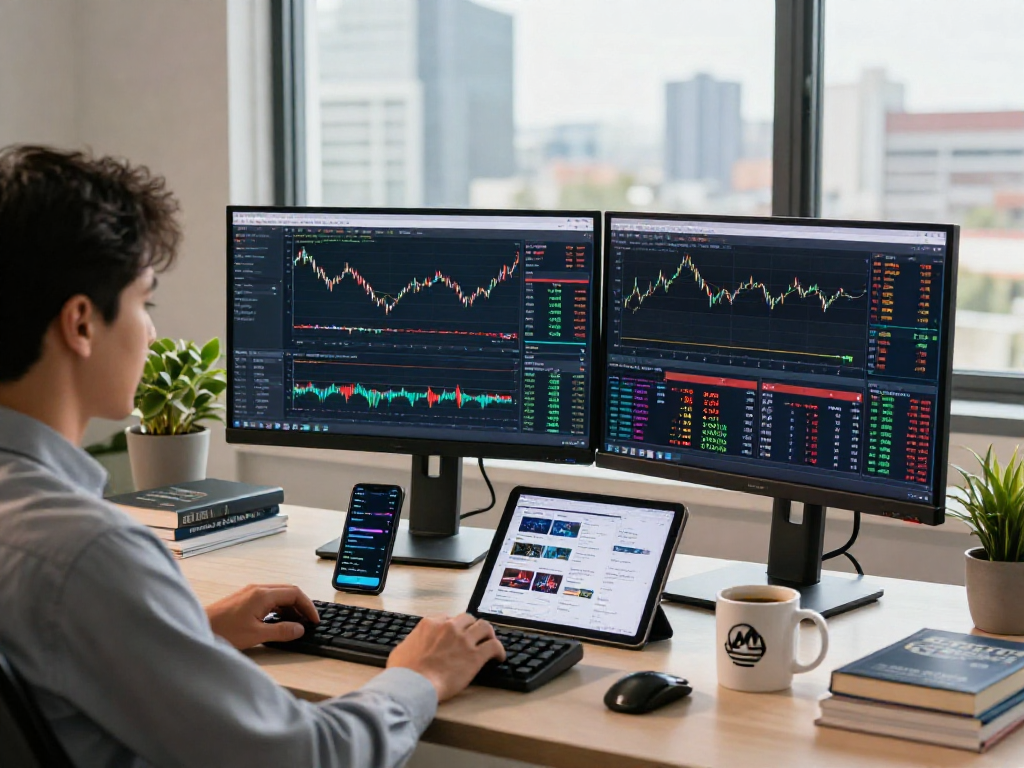
The user interface of TradingView is intuitively designed to cater to both novice and advanced traders. The clean layout allows for easy navigation while providing access to all necessary tools. The platform also supports multiple layouts, enabling users to view several charts simultaneously—a feature particularly beneficial for day traders or those analyzing different assets concurrently.
Maximizing Your Trading Strategy with TradingView
To truly leverage the capabilities of TradingView, traders must establish a systematic approach to their strategies. By combining custom indicators, alerts, and community insights, traders can not only enhance their technical analysis but also make informed decisions faster.
Creating Custom Indicators
With TradingView's Pine Script, users can create custom indicators that suit their specific trading styles and strategies. This powerful scripting language allows for deep customization, enabling traders to formulate unique algorithms and trading conditions. New users can start by modifying existing scripts available in the TradingView community, gradually developing their custom solutions.
Utilizing Alerts for Market Movements
The alert system within TradingView is one of its most valuable features. Users can set up alerts based on price levels, technical indicators, or custom script conditions. This functionality enables traders to react swiftly to market changes without having to continuously monitor their screens. For instance, if a stock breaks through a resistance level, an alert can notify you to evaluate whether to enter or exit a trade.
Integrating Community Insights
The TradingView community is a treasure trove of insights, providing access to fresh ideas from other traders. By exploring shared scripts and analysis, users can gain different perspectives on market movements, enhance their learning curve, and even refine their own strategies. Interaction within the community can also lead to collaboration on trading strategies and further development of custom tools.
Financial Markets Covered by TradingView
TradingView excels in providing comprehensive coverage across various financial markets. This broad reach empowers traders from different backgrounds to utilize the platform effectively.
Stocks and ETFs
In the realm of stocks, TradingView delivers real-time data for thousands of equities globally, including ETFs. Traders can utilize advanced screening tools to filter stocks based on metrics such as market capitalization, price-to-earnings ratios, or performance over certain periods, allowing for meticulous fundamental analysis.
Forex Trading Tools
The forex market is another key area where TradingView shines. With over 60 currency pairs available, traders can apply sophisticated charting techniques and indicators specific to forex trading, such as Fibonacci retracements and moving averages, facilitating informed currency trades.
Cryptocurrency Insights
As cryptocurrencies gain traction, TradingView has expanded to cover a wider array of crypto assets. Users can analyze trends within Bitcoin, Ethereum, and countless altcoins, utilizing the same tools and features available for traditional financial markets. Real-time alerts and price movements can also be customized for these assets, helping traders navigate the volatility of the crypto landscape effectively.
Advanced Technical Analysis Techniques
Technical analysis is a critical aspect of trading, and TradingView provides various tools and features to conduct this type of analysis thoroughly. By understanding how to effectively use these tools, traders can enhance their market predictions.
Utilizing Pine Script for Custom Analysis
As mentioned earlier, Pine Script is integral for traders wishing to push their analysis further. Traders can create complex strategies based on historical data, running backtests to validate their theories before deploying them in real market conditions. This capability empowers traders to make data-backed decisions rather than relying solely on market instinct.
Backtesting Strategies with Historical Data
Backtesting is another cornerstone of robust trading strategy development. TradingView allows users to backtest potential trading strategies against historical data, providing insights into the strategy's performance across different market conditions. This not only helps traders identify winning strategies but also allows them to refine their approach before committing real capital.
Setting Up Multi-Chart Layouts
For traders who monitor multiple assets or currencies, TradingView’s multi-chart layout feature is invaluable. By setting up charts for different timeframes or assets side by side, users can quickly compare performance and identify correlation opportunities that may contribute to their overall trading strategy.
Future Trends and Predictions for 2026
The financial trading landscape is continually evolving, and platforms like TradingView are at the forefront of these innovations. In 2026, several trends are expected to shape how traders engage with the markets.
Emerging Technologies in Trading Platforms
As technology advances, trading platforms will likely integrate more sophisticated algorithms and AI-driven analytics. This could allow for automated strategy development and enhanced predictive analytics, making trading decisions more efficient and precise.
New Market Opportunities
With the ongoing globalization of financial markets, more asset classes will likely emerge. Platforms that adapt quickly to incorporate these new opportunities, including fractional shares and emerging market currencies, will provide traders with broader avenues for diversification.
The Role of AI in Trading Analytics
Artificial Intelligence (AI) is expected to play a significant role in trading analytics by providing real-time market insights and predictive modeling. This development will allow traders to make faster, more informed decisions, ultimately leading to optimized trading strategies.
What are the benefits of using TradingView?
The benefits of using TradingView are manifold. Its comprehensive tools allow for deep analysis and easy access to real-time data across various markets. The collaborative community aspect provides users with insights from other traders, while the powerful scripting capabilities enable personalized trading solutions.
Can TradingView be used for all asset classes?
Yes, TradingView is suitable for all asset classes, including stocks, forex, cryptocurrencies, and derivatives. This versatility makes it an excellent option for traders interested in multiple markets.
How do I set alerts on TradingView?
To set alerts on TradingView, navigate to the specific chart and click on the alert icon. From there, you can customize the conditions under which you want to be notified, whether it's based on price movements or specific indicator occurrences.
Is TradingView suitable for beginners?
Absolutely. TradingView's user-friendly interface and extensive resources, including tutorials and community discussions, make it an ideal platform for beginners. New users can gradually explore the platform, building their skills without feeling overwhelmed.
What is Pine Script in TradingView?
Pine Script is TradingView's proprietary scripting language, designed to allow users to create custom technical indicators and trading strategies. This feature empowers traders to personalize their trading experience fully.
What platforms does TradingView support?
TradingView is browser-based and supports all major platforms, including Windows, macOS, iOS, and Android, allowing traders to access their accounts from virtually any device for maximum convenience.